Sunday, March 1, 2015
Infusing 21st Century Thinking Skills Into the T L Environment
- Link to Slideshare Version
- Flash/PDF Version
- Coaching Critical Thinking to Think Creatively!
THE SECRET
Perhaps, if the movie had really discussed some of the great minds of the past, I would have appreciated it more. Instead, we are listening to a bunch of successful people sharing with us how the secret has changed their life (the Law of Attraction!).
Isnt it obvious (self-fulfilling prophecy?) that if you are positive, believe in yourself, have passion, visualize your dreams, go for it, etc., you are more likely to succeed (perhaps I come from Mars!). If you ask me, there was nothing new to discover in The Secret, except clever branding and promotion. It is probably the most exciting, clever and exotic branding since Blue Ocean. The power of The Secret is not in the law of attraction, but in the word: "SECRET". Everyone wants to know a secret. In short, every single motivational guru since I dont know when has indirectly promoted the so called secret, but has labeled it in a less exotic and mysterious way.
However, if it can help some of the millions of people that have watched it to achieve their dreams, then I suppose it has some value :)
THE LECTURE
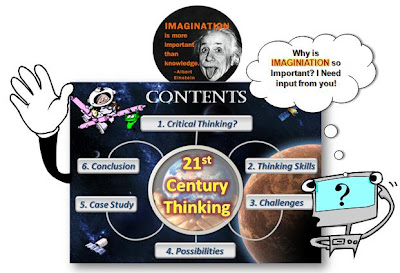
Actually, the real reason I am writing now is not because of the secret, but because I want to share with you my presentation slides for a lecture that was never conducted. Roughly, a month ago I was invited to be a guest speaker at a major workshop (250 participants!) to conduct a lecture about Critical Thinking. Due to some financial reasons, the workshop was postponed. And since then, I have never conducted this particular lecture. I suppose because no one else knew that I had prepared it. Or perhaps, because I am.... (Use the force! I mean the Law of Attraction)
Anyway, here are the presentation slides:
 View
View If the presentation slides do not make any sense, perhaps you can invite me to conduct the lecture wherever it may be (The first lecture most be conducted face-to-face. Why? I dont know!). Since I am in Malaysia, it might be costly if you want me to conduct the lecture in United States or Alaska. However, if you are Oprah Winfrey or Jay Leno I might consider doing it for free. Sorry David Letterman, for you I will not do it for free.
Now, you are perhaps thinking that I have gone POTTY! Nope, I am simply being positive and realistic about my prospects and practicing the law of attraction :)
On a serious note, after I conduct the first live lecture (if ever! Be positive!), I will record an e-lecture using Adobe Presenter to enlighten (who ever reads my blog!) what I am trying to reveal in the presentation slides.
Until the first live lecture, it will remain a secret. Just exploring the power of The Secret :)

Friday, February 27, 2015
2 Juicy Ways to Insert YouTube Videos into PowerPoint
- RealPlayer
- YouTube Video Wizard
- Format Factory
 Updated Version:
The Real Way to Download-Convert-Insert YouTube Videos into PowerPoint!
Today we basically have FREE access to millions (if not billions) of videos on the Internet (my personal favorites!), and surely among them you are going to find some mind stimulating videos that you would like to infuse into your face-to-face learning sessions (like this amazingly funny video: Learning English Pronunciation).
Now, I am going to share with you two (2) juicy ways to insert your favorite YouTube videos (or videos from other sites) into your PowerPoint presentations. Personally, I prefer the second (2) option.
1) PLAY LIVE YOUTUBE VIDEOS IN POWERPOINT
 Simply install this YouTube Video Wizard (YTV) dude. You can download versions for PowerPoint 2007 and 2003 (and earlier), so having an old PowerPoint version is totally alright.
This amazingly light tool allows you easily to insert live (streaming) YouTube videos into a PowerPoint slide. When installed, all you need to do is to provide the YouTube video URL that appears in the browser address bar, the rest is taken care of by the YTV Wizard. Installation instructions are provided on the YTV homepage.
POWERPOINT 2003
POWERPOINT 2007
If you prefer reading a brilliant article about this instead, CLICK HERE (Yes, it even tells you how to Get Videos from Google Docs into PowerPoint. Cool!) :)
2) DOWNLOAD AND PLAY VIDEOS OFFLINE IN POWERPOINT
Of course a few nutty copyright gurus are going to scream foul here, but for once please ignore them. Why should only those people that have excellent Internet access have the freedom to show amazing videos in class, while the less fortunate educators must suffer. Lets instead fight for a better world, where Internet is free for all (Read this!).
 Today, we should think of Internet as oxygen for learning, and if it is not there, then we have to find other ways to breath, like showing videos offline (but giving credit and linking to the rightful creators). Ops, lets get back on track...
First, I recommend that you download RealPlayer (the free Basic Player and remember to select the Download Video option). RealPlayer enables you easily to download videos from any video sharing site you can basically imagine. You simply need to mouse-over a video, and the Download This Video option will pop-up. One click and it is basically downloading.
However, it will download the video in FLV format, and that format does not work well with PowerPoint, so you would have to convert the downloaded video into a more appropriate format.
To convert the downloaded videos (in FLV format), I use Format Factory (to convert the videos to AVI or WMV formats). Format Factory (multifunctional media converter) is simply an amazing free video converter.
If you like video converting the difficult way, perhaps you should convert online using Zamzar.com or MediaConverter.org. It is really up to you :)
After you have converted the video to WMV or AVI format, you can now insert it into PowerPoint ( Insert > Movie > "Movie from file"). I prefer running the video using the full screen mode (total immersive viewing experience!).
In addition, please remember to save the video in the same folder as the PowerPoint slides (just do it!), and remember to bring along both files (in the same folder), if you are using another computer device in the face-to-face learning session.
Personally, I always try to use my own laptop, because then I minimize the possibility of unnecessary hiccups. If you dont have any choice, hopefully my advice above helps.
Finally, if you do have a better way of getting this job done, please share it with us.
We are still LEARNING :)
Tuesday, February 17, 2015
C Program to Convert given no of days into years weeks and days
#include<conio.h>
void main()
{
clrscr();
int y,d,w;
cout<<"Enter No. of days:";
cin>>d;
y=d/365;
d=d%365;
w=d/7;
d=d%7;
cout<<"
Years: "<<y<<"
Weeks: "<<w<<"
Days: "<<d;
getch();
}