Tuesday, March 10, 2015
Domain wide delegation of authority and OAuth 2 0 Service Accounts
Some enterprise applications need to programmatically access their users’ data without any manual authorization on their part. For example, you might want to use the Tasks API to add a task to all of your employees’ Google Tasks lists during the holiday season to remind them of something like, “Come pick up your holiday gift at the front desk!” Or, you might want to run some company-wide analysis of the content of your employees’ Google Drive.
In Google Apps domains, the domain administrator can grant applications domain-wide access to its users data — this is referred as domain-wide delegation of authority. This basically allows applications to act on behalf of Google Apps domain users when using APIs.
Until recently this technique was mostly performed using 2-Legged OAuth 1.0a (2-LO). However, with the deprecation of the OAuth 1.0 protocol and the resulting programmed shutdown of 2-LO, the recommended authorization mechanism is now to use OAuth 2.0 and service accounts.
Unlike regular Google accounts that belong to an end user, service accounts are owned by your application and therefore identify your application. They can be created in the Google APIs Console and come with their own OAuth 2.0 credentials.
Google Apps domain administrators can delegate domain-wide authority to the service account’s credentials for a set of APIs. This results in allowing the application, by using the service account’s credentials, to act on behalf of the Google Apps domain’s users.
If you’d like to learn more, have a look at the recently published Google Drive SDK documentation on using OAuth 2.0 and service accounts for domain-wide delegation of authority.. These documents provide a step by step process and code samples to help you get started with service accounts.
 | Nicolas Garnier Google + | Twitter Nicolas Garnier joined Google’s Developer Relations in 2008 and lives in Zurich. He is a Developer Advocate for Google Drive and Google Apps. Nicolas is also the lead engineer for the OAuth 2.0 Playground. |

Google Storage service for Developers
Using this RESTful API, developers can easily connect their applications to fast, reliable storage replicated across several US data centers. It is highly scalable - supporting read-after-write data consistency, objects of hundreds of gigabytes in size per request, and a domain-scoped namespace. In addition, developers can manage their storage from a web-based interface and use GSUtil, an open-source command-line tool and library.
Google Storage is designed for sharing and collaboration, with built-in authentication services and access controls based on Google Accounts. This makes it easy to control which users have access to what information in your internal and external applications. Right now Google Storage only supports standard Google Accounts, but we’re working hard to add support for Google Apps accounts.
We are introducing Google Storage for Developers to a limited number of developers at this time. During the preview, each developer will receive up to 100GB of data storage and 300GB monthly bandwidth at no charge. To learn more and sign up for the waiting list, please visit our website.
We’ll be demoing the service at Google I/O in our session and the Developer Sandbox. We’re looking forward to meeting those of you who are attending.
by Jessie Jiang, Google Storage for Developers Team
Sunday, March 1, 2015
Free Fast VPN Service PRIVATE TUNNEL
Today i am going to tell you about a free vpn service named as private tunnel. Last night i was trying to connect to youtube and i tried all softwares like spotflux, hotspot shield and web freer but the speed of internet was not so good and these software waste my bandwidth, so i search in google for a better solution and i find Private tunnel. Its a bit complicated software but i will tell you the complete proceedure.
1:- Download Private Tunnel from the link given below
 |
| Click Here to Download Private Tunnel Free VPN Service |
3: After Installation Open Private Tunnel. It will ask you for registeration to sign up.
4: Register your account using your email address.
5: Now sign in to Private Tunnel (Dont forget to select a server)
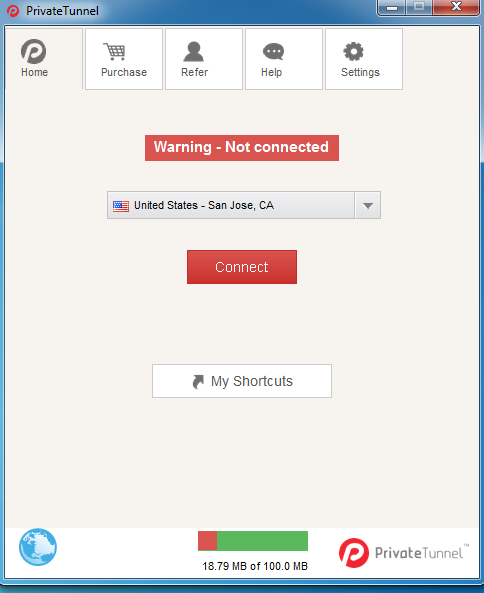 |
| Private Tunnel Connection window |
6: Enjoy your ride to all blocked websites with full speed.