Wednesday, March 4, 2015
The Mindmapping Toolbox 100 Tools Resources and Tutorials
- Link to article
- Related Posts - 99 Mind Mapping Resources..., Mind Mapping Search & FreeMind (Free Software)
 WHAT?
"Sometimes the difference between a successful project and one that spirals out of control is getting all your thoughts and ideas laid out before you even get started. One of the best ways to do this is with mind maps, which act as a visual representation of all that stuff you’ve got floating around in your head. This kind of radiant thinking can be a great way to start out working on anything, from redecorating your house to landing a huge project, and there are loads of resources out there to make mind mapping even easier..."
JUICE?
The Mindmapping Toolbox (or article) provides a list of 100 tools, resources, blogs, articles and everything else you might need to get started making a road map of your mind.
This mindmapping resource list has broken the triple digit barrier. WOW! Interestingly, this list has one more mindmapping item compared to Eric Herberts famous list of 99 Mindmapping stuff. I have yet to compare these two lists item for item (No time!), but surely you will find much of the same stuff here. I suppose Stephen Downes would probably get dizzy again with such a huge list one, and request for one mindmapping tool that works really well. I will therefore use my seventh sense (practical intelligence or common sense!) to extract out some of the juicy resources in this list. Here are some of those resources I have explored (Meaning I like it!), or would like to explore further sometime in the near, or distant future:
- FreeMind: This popular Java-based mind mapping software makes it simple to create mindmaps that can be “folded” and integrated with web links.
- MindMapping.org: Find all the information you ever needed to know about mind mapping at this website and learn all about the software that is out there to help you make the best mind maps.
- Vilayanur Ramachandran: A journey to the center of your mind: Behavioral neurologist Vilayanur Ramachandran talks about how the mind, phonemes and visual data all work together, just like in mind maps.
- Tony Buzan on Mind Mapping: One of the most well-known advocates of mind mapping, Tony Buzan, discusses how to tap into your internal mental power in this video.
- List of Mind Mapping Software: This list on Wikipedia offers a guide to all of the mind mapping software out there.
- Guerilla Marketing with Mind Maps: Didn’t think mind maps had anything to do with marketing? They can help greatly, and this article will show you how you can use them in your next campaign.
- How To Use Mind Maps To Teach Difficult Grammar Points: Read this article to find out how you can use mind maps to teach and represent just about anything.
- MindMapping Blog: Like the name suggests, this blog is full of posts about mind mapping, primarily focusing on software and web applications.
- MindMapping 2.0: This blog discusses how and where mind mapping and web 2.0 meet, as the blogger works on his own mind mapping software.
- Rapid Problem Solving with Post-It Notes: This book by David Straker shows how you can organize your thoughts into mind maps using only Post-It notes.
I appreciate that the mindmapping list is organized based on specific categories (Free Visualization Tools, Tutorials and How-Tos, Articles, Videos, etc.), and includes useful and short descriptions for each item, but I would also love to see some kind of ranking (or rating) based on each category. I know this can be very subjective (and takes time!), but if the author(s) is/are (an) expert(s) in this area, it would certainly add some value to our willingness to really explore this long list. As we are moving to an era where information is increasingly being organized by people and machines (in creative and informative ways), we will want additional value to increase our efficiency to find the right stuff. Rankings, ratings, reviews, favorite lists, hits, etc. certainly can add some value and spice to a list.
Although, I like the Mindmapping Toolbox, I do hope to see more creative and informative ways in presenting such long lists in the future. Perhaps, they can learn a few lessons from Vic Gees excellent razor-sharp mindmapping search space :)

Wednesday, February 18, 2015
How to Bypass Cyberoam by using Wayback Machine to Access Blocked Sites on Wi Fi 100 Working

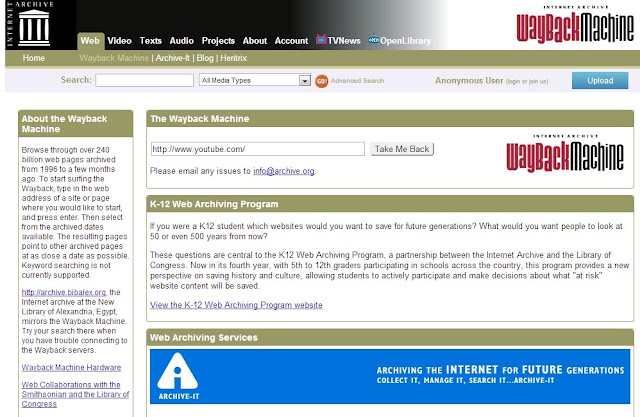
What is Wayback Machine?
How to Access Blocked Sites using Wayback Machine?
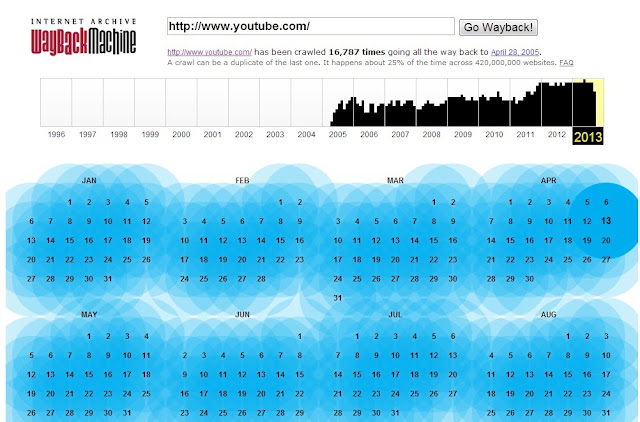
4. Then click on your desired snapshot, now you will be able to see the
blocked site.